Features
Everything Gigawrks does.
Meetings, scheduling, guilds, Drive, and the notifications that tie them together — running in your browser and on every desktop you own.
Meetings
Every call control in one panel.
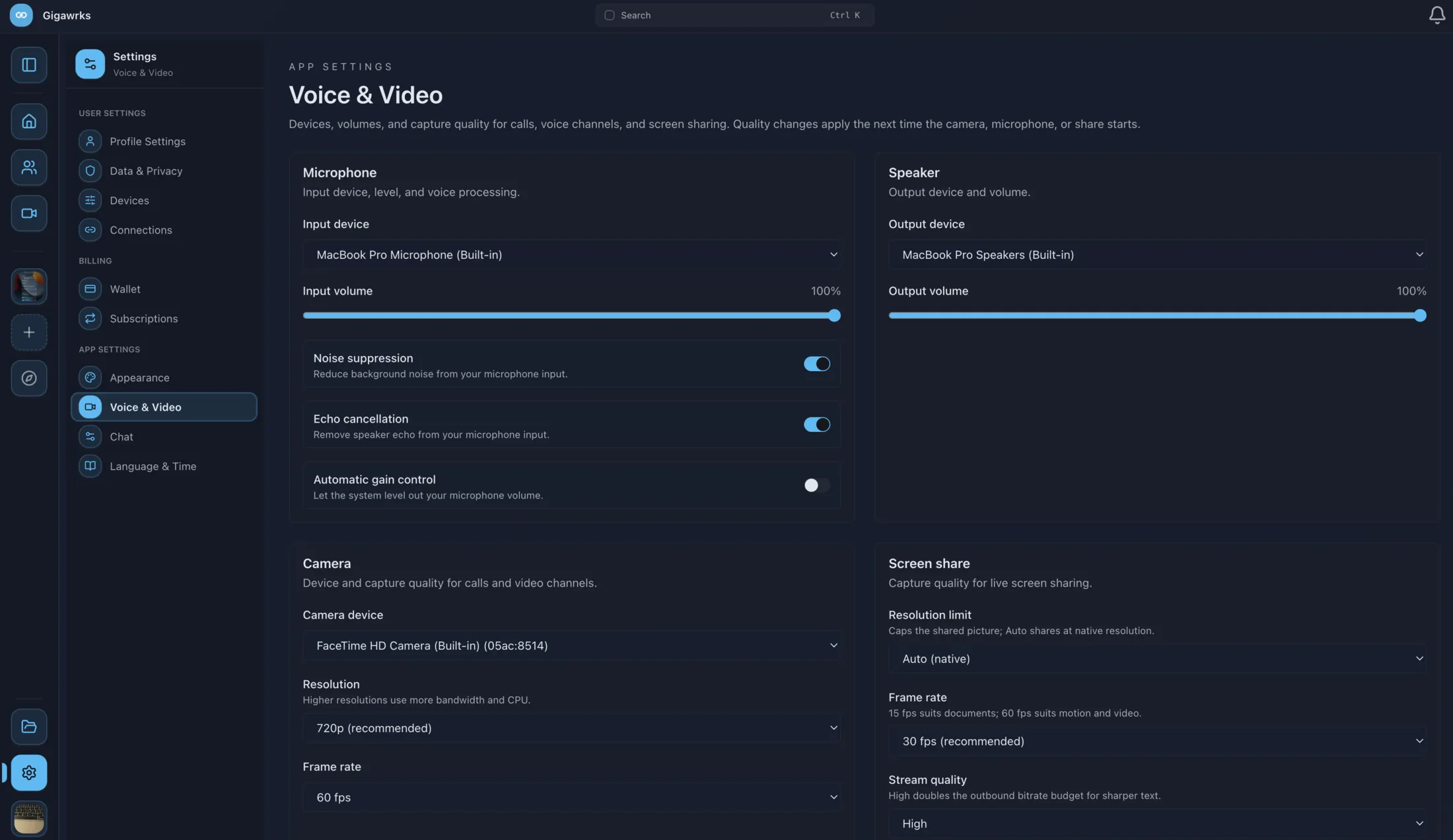
Voice and video, with the processing chain exposed instead of hidden — tune it per device, then jump into a voice channel with nobody to invite and no link to send.
- AudioNoise suppression, echo cancellation, and automatic gain control, each toggled independently.
- Screen sharePick your resolution and frame rate before you share, and change them mid‑call.
- RecordingRecord a call from the client. Everyone in the room sees an advisory when it starts.
- SchedulingA calendar, recurring series, and public booking links — all of it below.
- In‑call chatA message thread scoped to the meeting, alongside the call itself.
Scheduling
A calendar that knows what a meeting is.
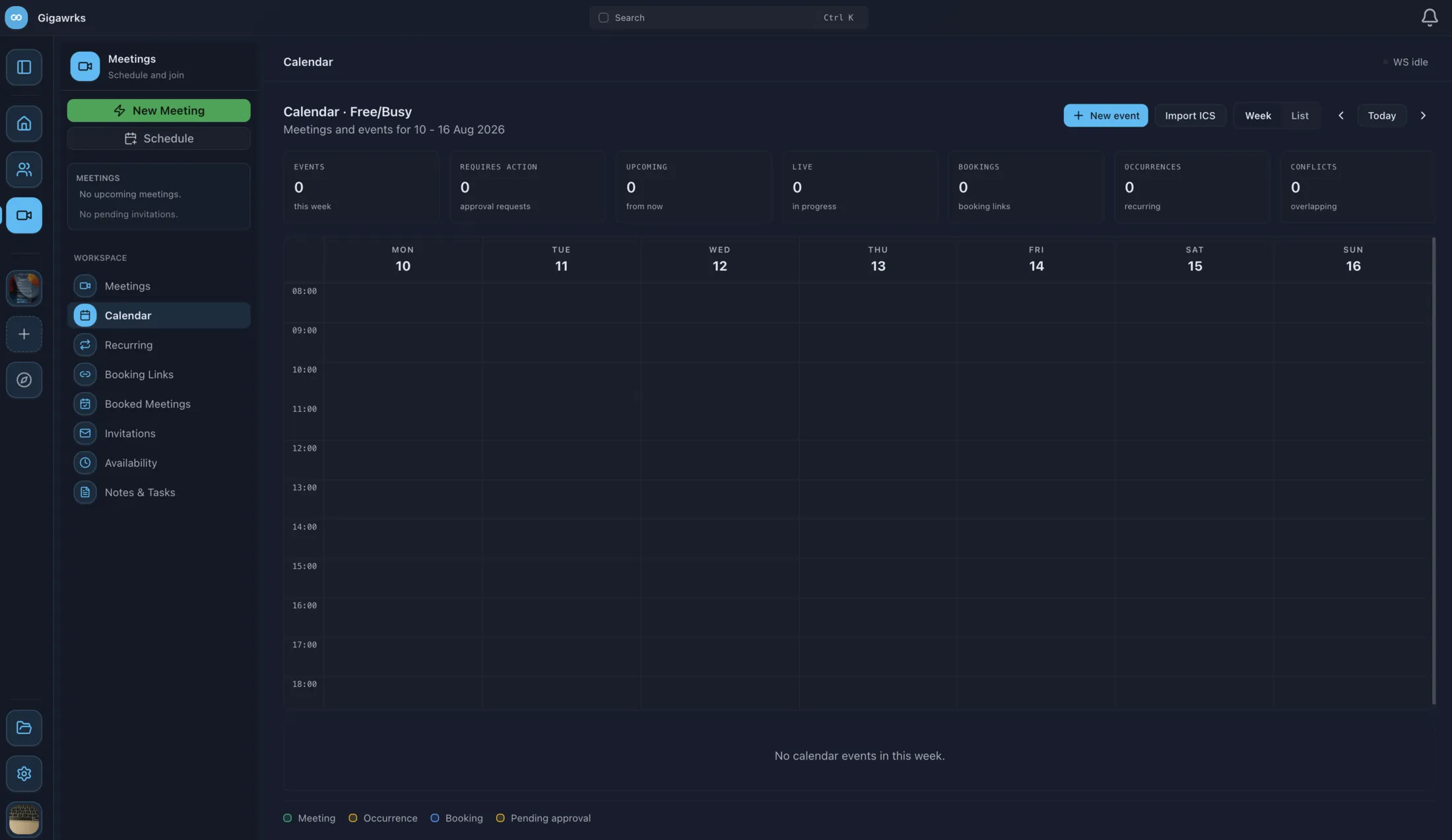
The Meetings workspace opens on a free/busy week. Scheduled meetings, recurring occurrences, and slots people booked with you all land on the same grid — and the row of counters above it says what needs you before you scroll anywhere.
- At a glanceSeven counters — events this week, approval requests, upcoming, live now, bookings, occurrences, and conflicts.
- ConflictsOverlapping events are flagged on the grid, and each one names what it collides with.
- RecurringWeekly series on the days you pick. Move or cancel a single occurrence without disturbing the rest of it.
- InvitationsAccept, Maybe, or Decline. Every participant’s answer shows on the meeting.
- Import & exportBring a calendar in from an .ics file, or hand out any meeting’s ICS link.
Four steps to put one on the calendar.
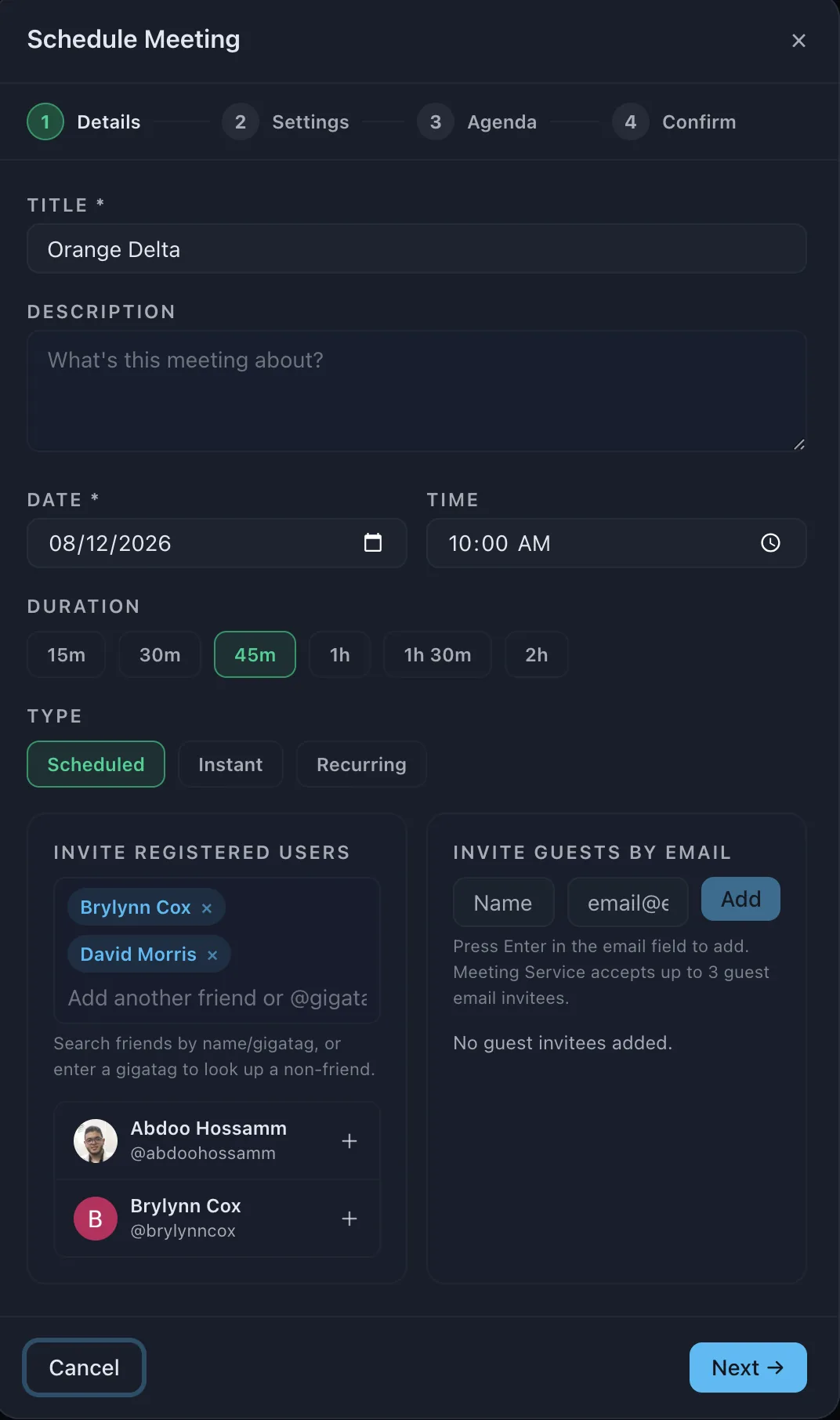
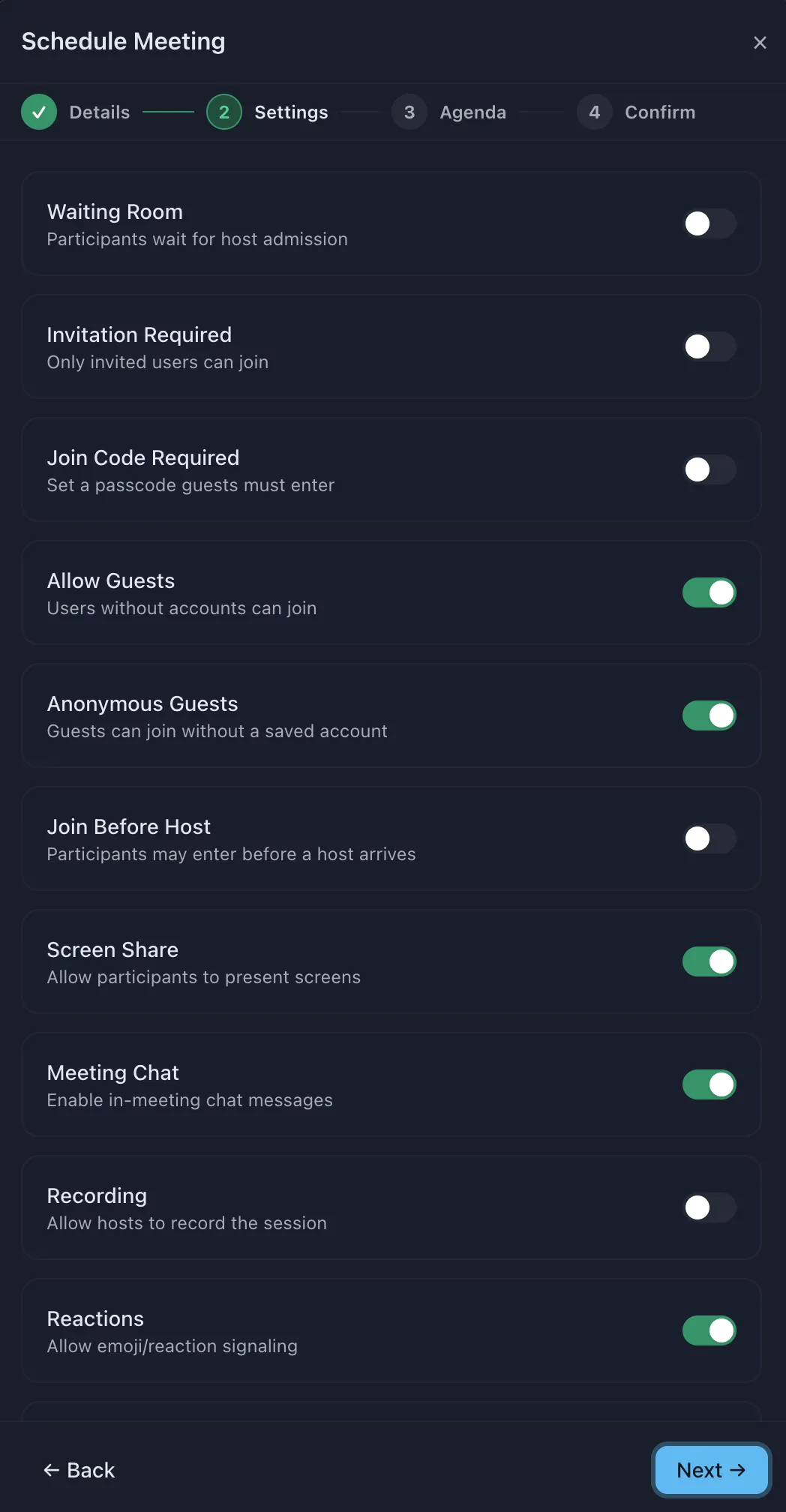
Scheduling a meeting is a short wizard rather than a wall of settings. Nothing is created until the last screen, which shows you every choice you just made.
-
Details Title, date, and a duration from fifteen minutes to two hours. Invite people by name or gigatag, plus up to three guests by email.
-
Settings Waiting room, join code, guest and anonymous access, join‑before‑host, screen share, chat, recording, and reactions — each its own switch.
-
Agenda Agenda items and free‑form notes, attached to the meeting so everyone reads them before it starts rather than during.
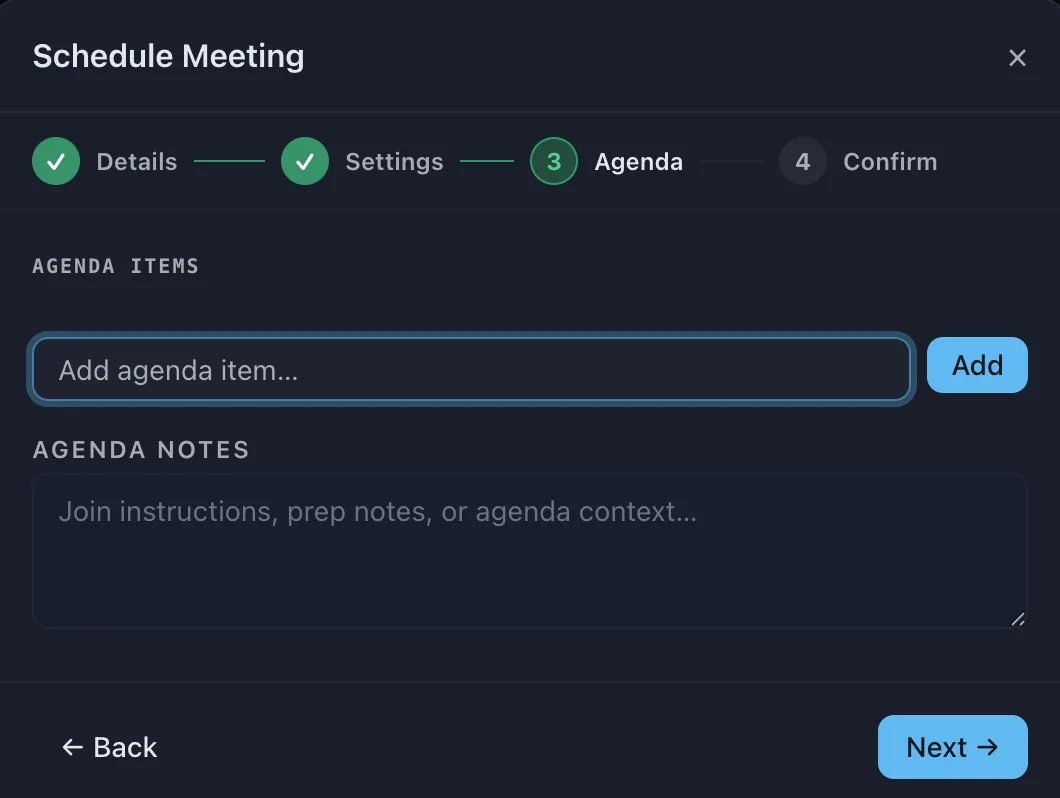
-
Confirm One summary of the whole thing, down to the participant, speaker, and viewer caps, before the meeting exists.
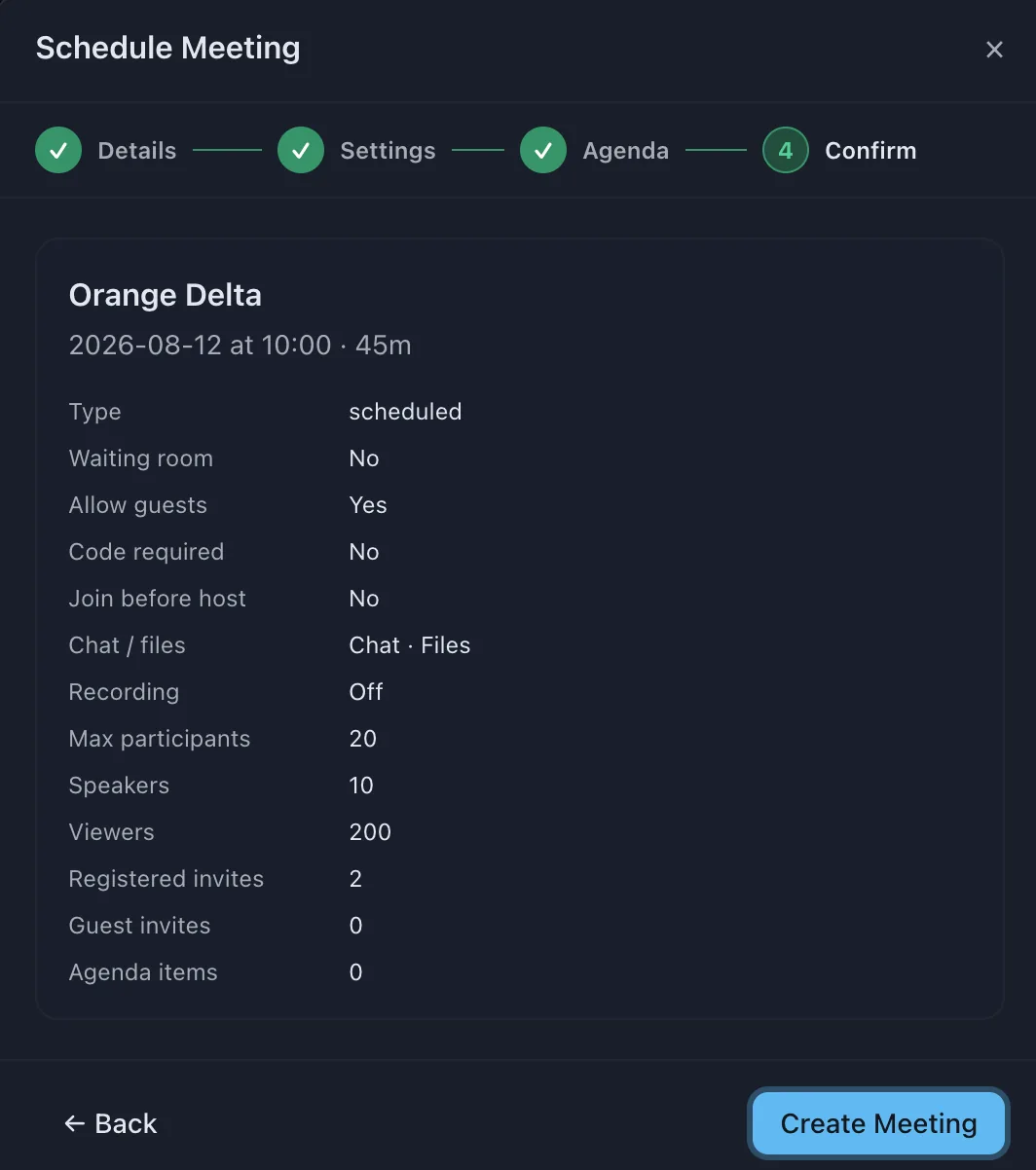
Booking links
Hand out a link instead of trading times.
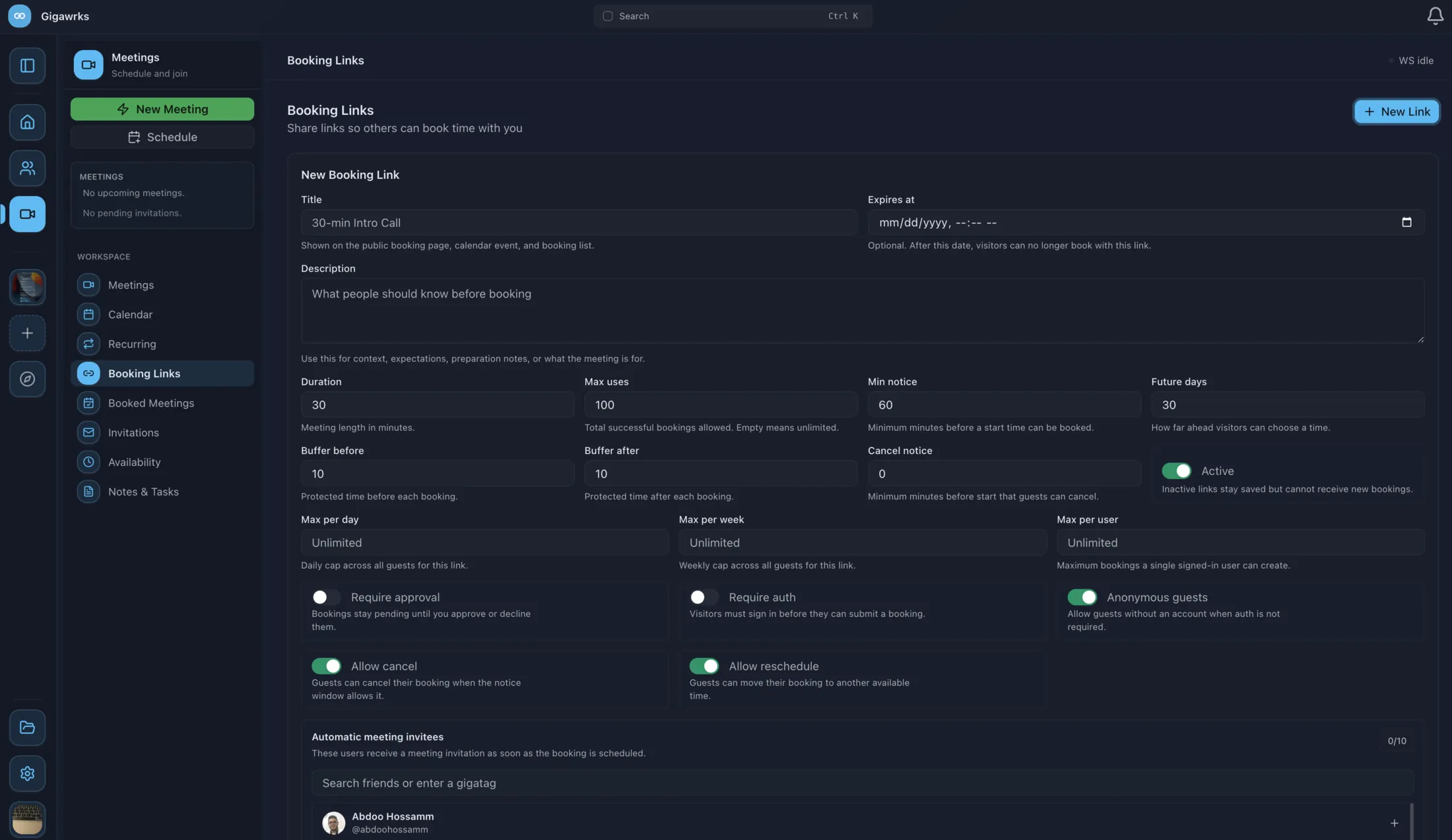
A booking link publishes a page of open slots, shown to each visitor in their own timezone. Whoever books gets a real meeting on the calendar, and you get the answers to whatever you decided to ask them first.
- SlotsMeeting length, minimum notice, how far ahead people can book, and protected buffers either side of each booking.
- LimitsCaps per day, per week, and per person, a total use count, and an optional expiry date on the link itself.
- ScreeningHold bookings for your approval, require a signed‑in account, or let anonymous guests book with no account at all.
- QuestionsCustom fields — short text, email, long answer, dropdown, multi‑select, and checkboxes — each optional or required.
- AfterwardsGuests cancel or reschedule themselves inside the notice window, and named colleagues are invited to the meeting automatically.
The rules those slots come from
Open times are generated, never typed out twice. Set the hours you take meetings on each day, block out the dates you don’t, and check the result against a weekly grid.
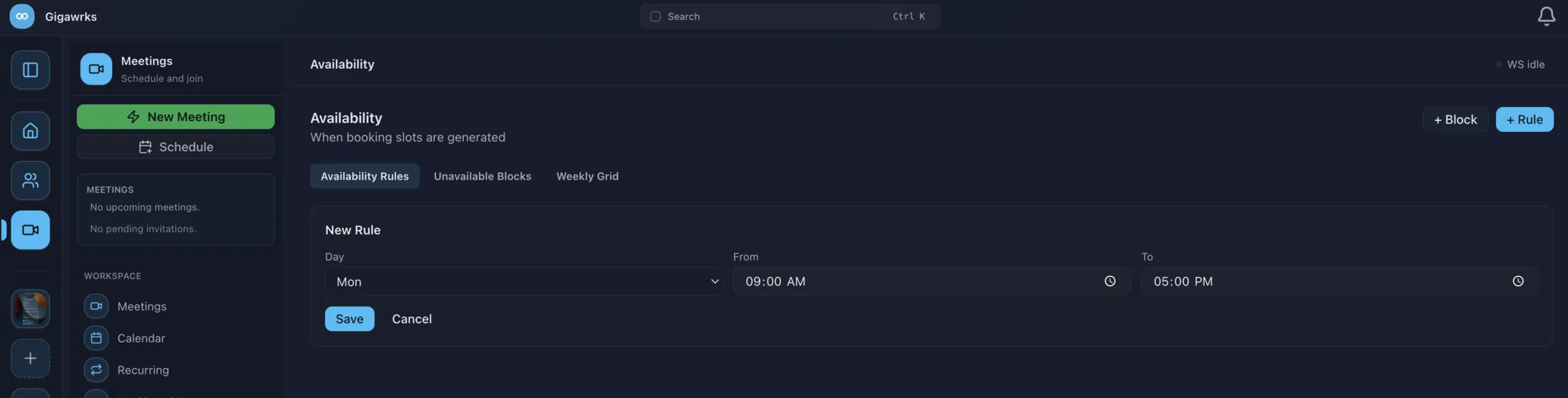
Guilds & channels
Structure that scales past a group chat.
Spin up a guild, sort it into categories, and decide exactly who sees what. Permissions are set once on a role and can be overridden on any single channel.
- ChannelsText and voice channels, grouped into categories, each public or private.
- RolesColour‑coded roles with individual permission toggles per role.
- AccessA per‑channel access dialog that overrides the guild’s defaults where you need it to.
- InvitationsShareable invite links that work whether the recipient has the app or not.
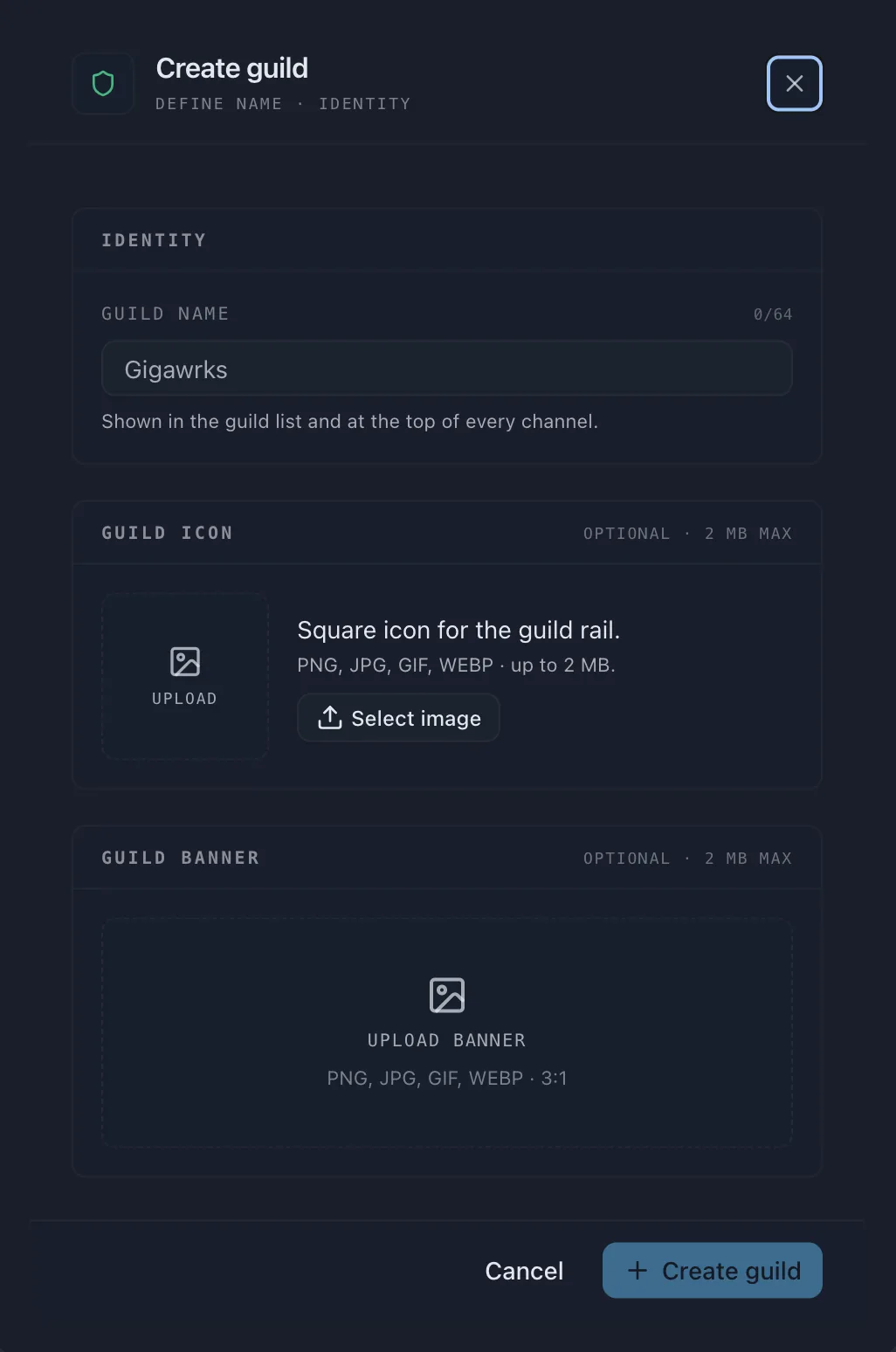
- IdentityA name up to 64 characters, a square icon, and a 3:1 banner — set at creation, editable after.
Drive
Nobody has to remember to file anything.
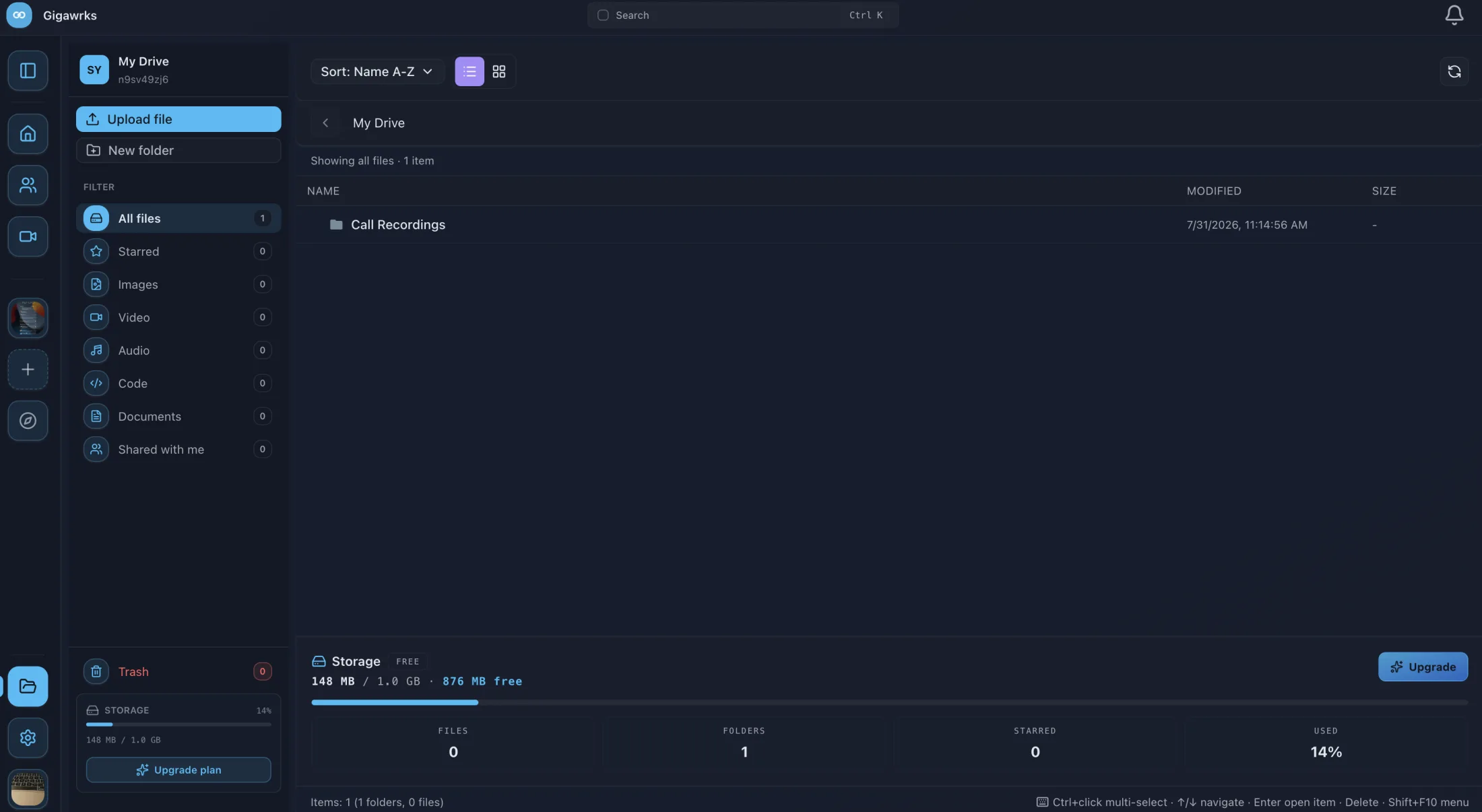
Call recordings, uploads, and shared documents land in Drive on their own. There is a Drive for you, one for each guild, and one attached to the conversation you are already having.
- Three scopesMy Drive, guild Drive, and an in‑chat Drive for files shared in a thread.
- RecordingsAnything you record on a call is uploaded and filed automatically.
- SharingPublic share links for files that need to reach someone outside the guild.
- Finding thingsFolders, type filters, starred items, and a live storage meter.
Messages & notifications
One inbox, sorted by what actually happened.
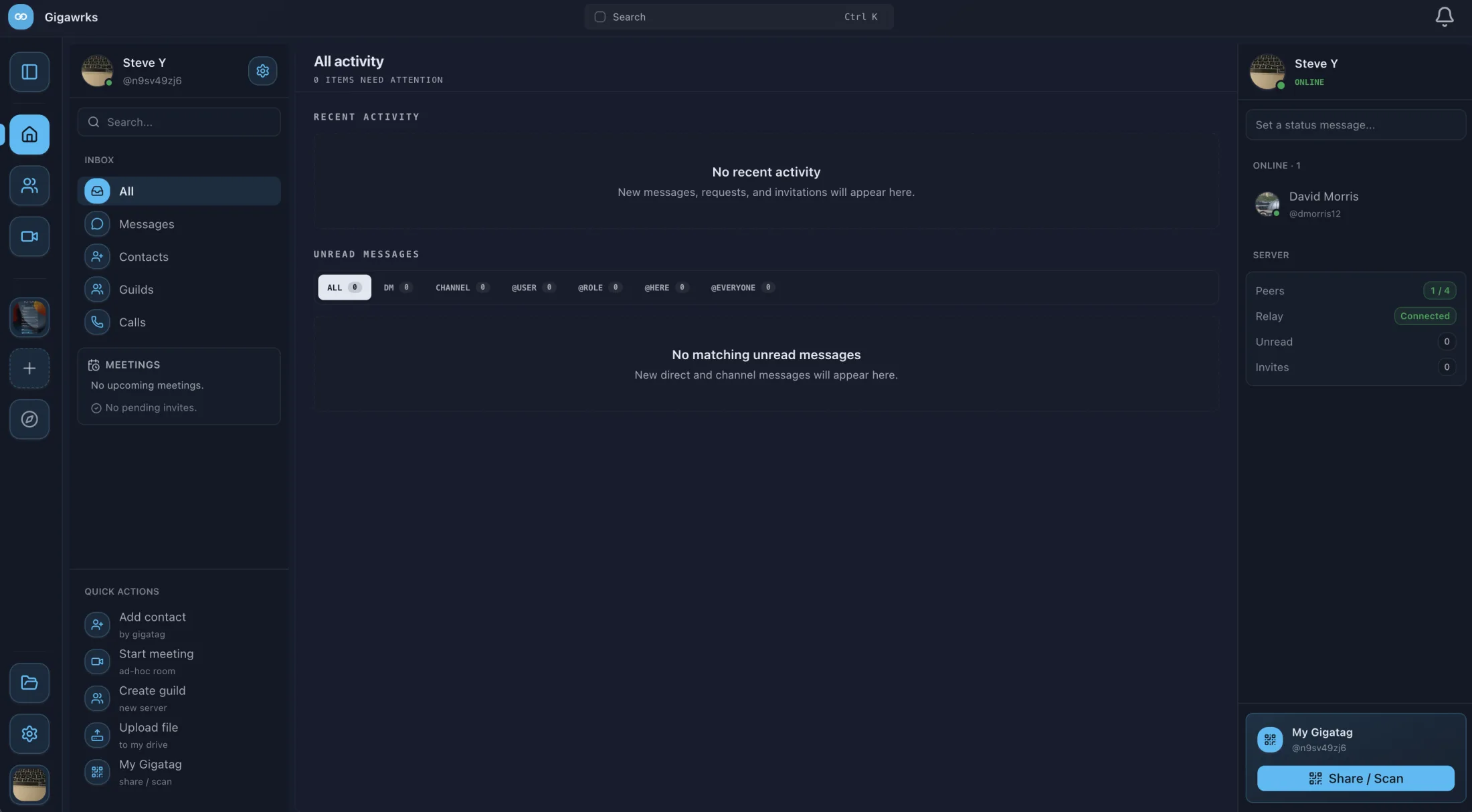
Direct messages and channel mentions merge into a single list ordered by most recent activity. Seven filters cut it down to whichever kind of unread you care about right now.
- FiltersAll, DM, channel, @user, @role, @here, and @everyone — each showing a live count.
- MentionsDirect, role, here, and everyone mentions are tracked and badged separately.
- ControlMute any channel, or set its notification level so only mentions get through.
- Rich messagesAttachments, link previews, polls, and markdown formatting.
- PresenceLive online status for your contacts over a persistent connection.
Appearance
Make every surface yours.
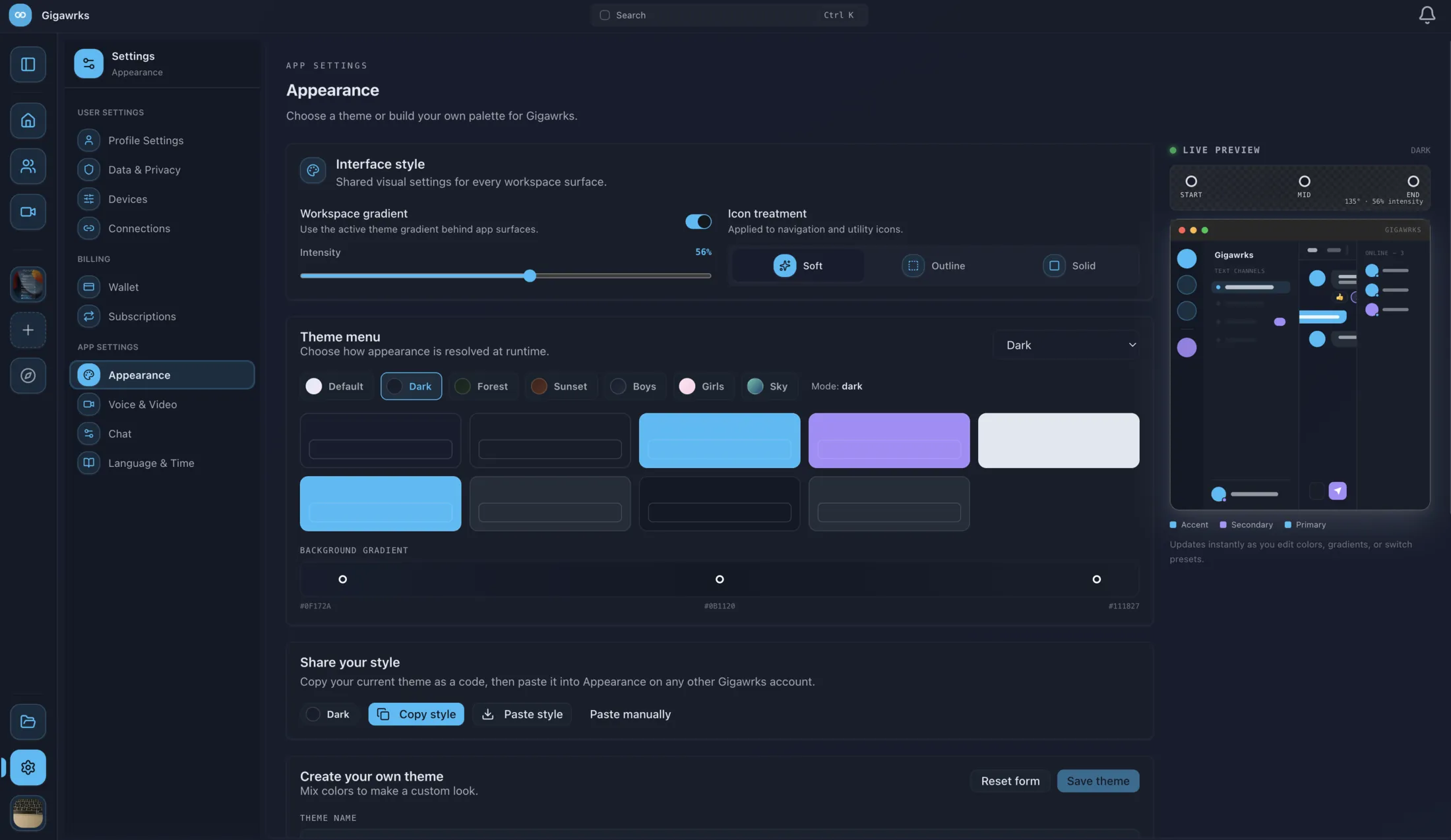
Start from a preset or build the whole thing yourself — colours, gradients, and transparency, previewed live against your real workspace before you commit to it.
- PresetsReady-made looks including Sunset and Forest.
- CustomMix your own colours, background gradients, and transparency levels.
- PreviewA live preview of the workspace updates as you change each value.
- PortableCopy a finished theme across to any other account.
Platform
Open a tab, or install it properly.
The browser build needs nothing installed. The desktop build adds the things only a native app can do — and there are phone apps for when you are away from both.
- Browser Nothing to install
- macOS Apple Silicon & Intel
- Windows Intel / AMD & ARM64
- Linux AppImage, deb, rpm, Arch
- iOS iPhone & iPad
- Android Phone & tablet
What the installed app adds
The desktop client is the same app as the browser build, plus the parts that need to reach into the operating system.
- TrayClosing the window hides Gigawrks to the system tray instead of quitting it.
- Deep linksGigawrks links open straight into the running app rather than a new browser tab.
- File dropDrag files from the desktop directly onto a conversation.
- CredentialsSign‑in tokens are stored in the operating system’s keychain.
- UpdatesThe app updates itself in the background.
Side by side
Browser build vs. desktop app.
Both run the same application. The only differences are the five things at the bottom of this table, which need an installed app to work at all.
| Capability | Browser | Desktop |
|---|---|---|
| Meetings | ||
| Voice & video calls | ✓ | ✓ |
| Screen sharing with quality controls | ✓ | ✓ |
| Noise suppression & echo cancellation | ✓ | ✓ |
| Call recording | ✓ | ✓ |
| Scheduling | ||
| Free/busy calendar with conflict flags | ✓ | ✓ |
| Recurring series & single-occurrence edits | ✓ | ✓ |
| Public booking links with custom questions | ✓ | ✓ |
| Availability rules & unavailable blocks | ✓ | ✓ |
| ICS import & per-meeting ICS links | ✓ | ✓ |
| Guilds & messaging | ||
| Text & voice channels | ✓ | ✓ |
| Roles & per-channel permissions | ✓ | ✓ |
| Unified inbox with mention filters | ✓ | ✓ |
| Polls, link previews & attachments | ✓ | ✓ |
| Drive | ||
| Personal, guild & in-chat Drive | ✓ | ✓ |
| Public file share links | ✓ | ✓ |
| Automatic recording upload | ✓ | ✓ |
| Personalisation | ||
| Theme presets & custom themes | ✓ | ✓ |
| Needs the installed app | ||
| System tray | — | ✓ |
| Deep links into the running app | — | ✓ |
| Drag files in from the desktop | — | ✓ |
| Credentials in the OS keychain | — | ✓ |
| Background auto-update | — | ✓ |
Gigawrks is on iPhone, iPad, and Android too — see every download.
Get started
Open it in a tab and see.
No install, no setup — or grab the desktop app and get the tray, deep links, and drag‑and‑drop along with it.